Digital Transformation
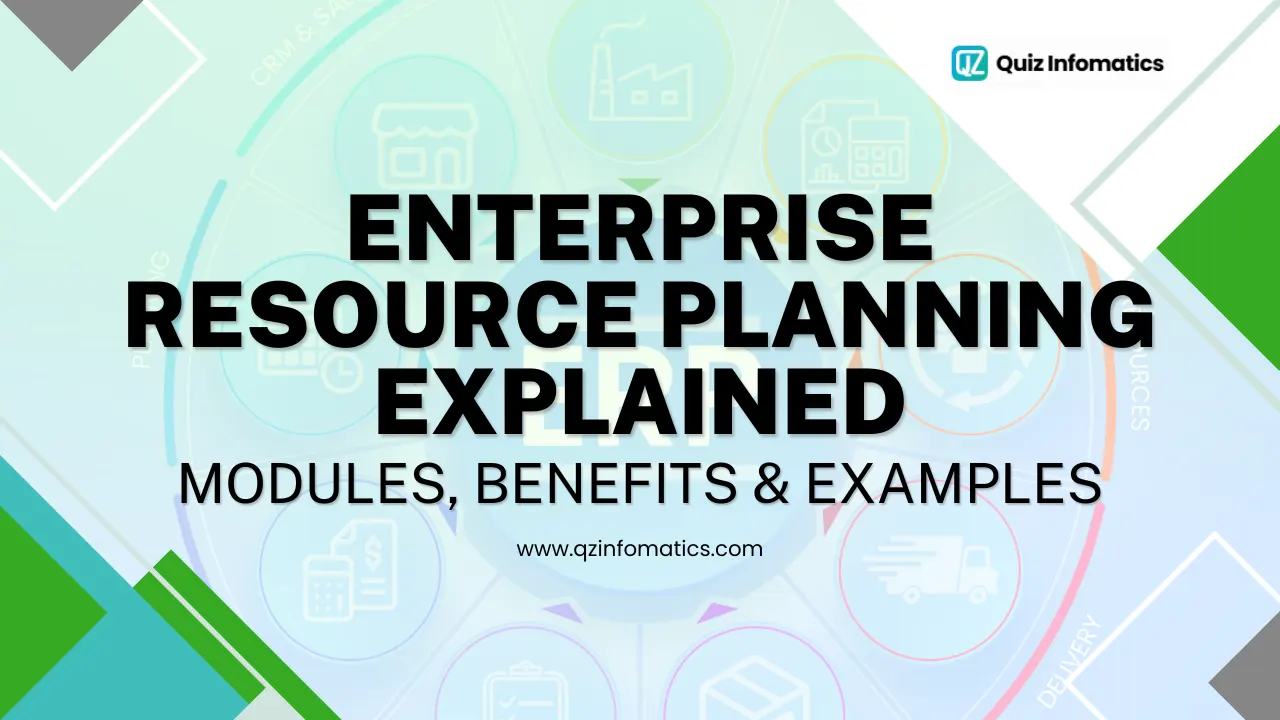
Enterprise Resource Planning Explained: Modules, Benefits & Examples
Most growing businesses hit the same wall: finance uses one system, the warehouse uses another, sales lives in spreadsheets, and no two reports ever agree. Enterprise resource planning was built to tear down those walls. This guide explains what enterprise resource planning is, breaks down the core ERP modules, lays out the real benefits of ERP, and shows concrete examples - with a clear lens on what it all means for businesses in the UAE.
What is enterprise resource planning?
Enterprise resource planning (ERP) is software that connects a company's core business functions - finance, HR, inventory, supply chain, sales, and more - into one integrated system built on a single shared database. Instead of separate tools that don't talk to each other, everyone works from the same real-time information.
Think of ERP as the operational backbone of a business. When one part of the company records an action - a sale, a payment, a shipment - every connected function updates instantly, automatically, and consistently.
That single source of truth is the whole point. It removes the manual re-entry, the version conflicts, and the guesswork that slow a business down as it scales.
A quick history of ERP
Enterprise resource planning grew out of 1960s manufacturing inventory systems, expanded into finance and HR through the 1990s, and moved to the cloud over the past decade. Today's ERP is typically delivered as cloud software you subscribe to, rather than a system you host and maintain yourself.
The scale of adoption is striking. Around 1.4 million companies worldwide now run ERP systems, serving more than 65 million users - evidence of just how central this technology has become.
How does enterprise resource planning work?
ERP works by placing every business function on top of one central database that all departments read from and write to. When any user takes an action, the shared data updates in real time, so every other function sees the change immediately.
Here's the practical effect. A salesperson confirms an order; the ERP checks live inventory, reserves stock, raises a tax-compliant invoice, updates the accounts, and flags a reorder if stock runs low - all from a single entry, with no re-keying.
Modern ERP is delivered as a suite of modules. You switch on the functions your business needs and add more as you grow, which is why ERP suits both a 20-person firm and a multinational.
What are the main ERP modules?
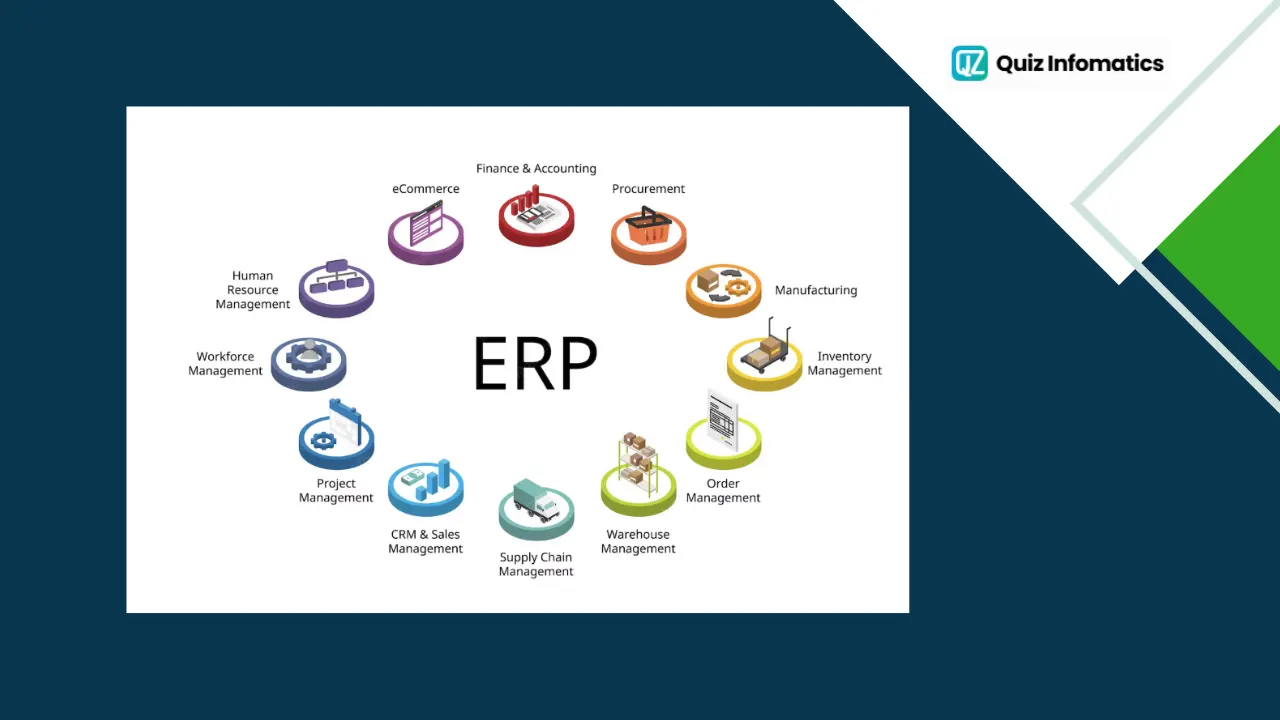
ERP modules are the individual business functions within an ERP system - you activate the ones you need and they all share the same data. Understanding the core modules is the easiest way to grasp what ERP actually does day to day.
Below are the modules most businesses rely on.
Finance and accounting
The finance module is the heart of nearly every ERP system. It manages the general ledger, accounts payable and receivable, budgeting, and financial reporting - and in the UAE, it automates VAT and corporate tax calculation and filing.
This is why finance is usually the first module companies deploy. Accurate, real-time financial data underpins every other decision in the business.
Human resources and payroll
The HR module manages employee records, payroll, attendance, leave, recruitment, and performance. In the UAE, it handles local requirements like WPS-compliant payroll and end-of-service calculations.
HR is one of the fastest-growing ERP areas as companies digitise people management alongside finance and operations.
Supply chain management
The supply chain module coordinates the flow of goods from suppliers to customers, covering procurement, logistics, and supplier relationships. It gives businesses visibility across the entire chain rather than isolated snapshots.
For trading and distribution firms - a huge segment of the UAE economy - this module is often the core reason for adopting ERP.
Inventory and warehouse management
This module tracks stock levels, locations, and movements in real time across one or many warehouses. It automates reordering, reduces both stock-outs and overstocking, and keeps inventory data accurate.
Because inventory ties directly to cash and customer satisfaction, this module frequently delivers the fastest, most visible return.
Manufacturing and production
The manufacturing module handles production planning, scheduling, bills of materials, and job costing. It helps manufacturers optimise capacity, control costs, and maintain quality.
Manufacturers are the single largest group of ERP adopters, representing roughly 47% of companies looking to purchase ERP software.
Procurement and purchasing
The procurement module manages purchase requisitions, supplier quotes, purchase orders, and approvals. It enforces spending controls and creates a clear, auditable purchasing trail.
Tied to inventory and finance, it ensures the business buys the right things at the right time without overspending.
Sales and CRM
The sales module manages quotes, orders, pricing, and customer relationships. When integrated with CRM features, it links customer history directly to operations, so a closed deal flows straight into fulfilment and invoicing.
This connection between front-office sales and back-office operations is one of ERP's biggest advantages over disconnected tools.
Project management
For services, construction, and contracting businesses, our construction ERP software UAE helps manage projects by tracking tasks, resources, timelines, budgets, and billing in one centralized system. It also includes powerful contractor accounting software capabilities, tying project performance directly to the company's finances for better cost control, profitability, and decision-making.
Customer service and support
The customer service module manages support cases, service requests, and after-sales interactions, linking them to customer and order history. Because it draws on the same database as sales and operations, agents see the full picture when helping a customer.
For service-led and field-service businesses, this module keeps support responsive and accountable.
Business intelligence and reporting
The BI and reporting module turns ERP data into dashboards, KPIs, and analytics. Rather than exporting to spreadsheets, decision-makers get live visual insight into finance, sales, and operations in one place.
This module is increasingly where AI features appear first, powering forecasting and anomaly detection on top of the business's own data.
How ERP modules work together
The real power of ERP isn't any single module - it's how they share one database, so data flows between them without manual hand-offs. A sale updates inventory, which triggers procurement, which posts to finance, which feeds reporting.
That integration is what turns a collection of functions into a single, coordinated system. You don't have to run every module from day one; most UAE businesses start with finance and inventory, then expand.
What are the benefits of ERP?
The core benefit of ERP is a single source of truth - accurate, real-time data every department can rely on - and from that foundation, a series of measurable gains follow. The benefits of ERP show up in productivity, cost, compliance, and decision-making.
Research consistently backs this up. In one large survey, nearly 78% of businesses reported greater productivity, 77% broke down data silos, 76% improved supplier collaboration, 75% strengthened compliance, and 70% enhanced customer experience after adopting ERP.
Here are the benefits that matter most:
A single source of truth. Everyone works from the same live data, ending version conflicts and reconciliation work.
Higher productivity. Automating repetitive tasks frees staff for higher-value work.
Lower costs. Better inventory, procurement, and process control reduce waste and duplicated effort.
Stronger compliance. Automated, auditable records simplify VAT, corporate tax, and financial reporting.
Faster, better decisions. Real-time dashboards replace outdated month-end reports.
Improved collaboration. Departments share information instead of guarding separate spreadsheets.
Scalability. Adding a branch, product line, or emirate doesn't mean bolting on another disconnected tool.
These benefits compound over time. A system installed to fix accounting often ends up improving inventory, purchasing, and customer service as a by-product.
"The benefit clients underestimate most isn't efficiency - it's confidence. When leadership finally trusts that the numbers on the screen are correct and current, decisions get faster and bolder. That single source of truth changes how the whole business operates." - QZ Infomatics ERP Consulting Team
Let’s talk about your business
Start with a free 30-minute call. We’ll ask the right questions, listen carefully, and give you an honest view of what’s possible.
Cloud, on-premise, or hybrid ERP: what's the difference?
The main difference is where the software runs and how you pay for it: cloud ERP runs on the vendor's servers for a subscription, on-premise runs on your own servers for a larger upfront cost, and hybrid blends the two.
Cloud has become the default choice. It represents the majority of the ERP market - over half of revenue in 2025 and the bulk of new implementations, thanks to lower upfront costs, faster deployment, automatic updates, and easy multi-location access.
On-premise still suits organisations with strict data-residency or heavy customisation needs, while hybrid models offer a transitional middle path. For most UAE small and mid-sized businesses, cloud ERP is the simpler, more affordable entry point.
ERP vs CRM vs accounting software: how do they differ?
The simplest distinction: accounting software manages your money, CRM manages your customers, and ERP manages your entire business - including both of those. Each serves a different scope.
Standalone accounting software handles invoices, expenses, and financial reports, but nothing beyond finance. CRM software focuses on sales pipelines and customer relationships. Both do one job well, which is why smaller startups often run them side by side.
An ERP system includes finance and customer management as modules, but connects them to inventory, procurement, HR, and operations on one database. The tipping point comes when those separate tools stop talking to each other and the manual reconciliation between them becomes a daily burden - that's when a business typically moves to ERP.
Who uses ERP? Types and industries
ERP is used by organisations of every size, but adoption is concentrated in industries where coordinating operations and finance is complex. Manufacturing leads, followed by distribution, retail, construction, healthcare, and professional services.
Adoption also rises sharply with company size. Among larger enterprises, ERP use is near-universal, while small and mid-sized businesses are now the fastest-growing adopters as cloud platforms lower the cost of entry.
The common trigger is the same everywhere: a business outgrows spreadsheets and entry-level accounting software, and the manual workarounds start costing more than a proper system would.
What are the signs your business needs an ERP?
The clearest sign is when your current tools start creating more work than they save. A few common signals point to the tipping point:
You're rekeying the same data into multiple systems
Reports are always out of date by the time they reach a decision-maker
Stock-outs and overstocking recur because inventory data is unreliable
Closing the books each month takes days rather than hours
Departments argue over which set of numbers is correct
Growth - a new branch, product line, or market - is straining your spreadsheets
If two or three of these sound familiar, your business has likely outgrown entry-level tools, which is the usual trigger for adopting ERP.
What are examples of ERP systems?
The best-known examples of enterprise resource planning are the major platforms - Oracle NetSuite, SAP, Microsoft Dynamics 365, and Odoo - each suited to different business sizes and needs. There's no single "best"; the right fit depends on your industry, scale, and budget.
Oracle NetSuite - a cloud-native ERP popular with fast-growing companies that want finance, inventory, and operations in one system. Notably, Oracle recently overtook SAP to become the world's largest ERP vendor, reflecting strong momentum in cloud ERP.
SAP - long favoured by large, complex enterprises with multi-entity, global operations.
Microsoft Dynamics 365 - a strong fit for companies already invested in Microsoft tools, offering both ERP and CRM.
Odoo - open-source and modular, letting smaller businesses start with one or two apps and scale affordably.
An ERP example in action
To make it concrete, picture a Dubai-based distributor using ERP. A customer places an order in the sales module; inventory checks live stock and reserves it; procurement automatically raises a purchase order because stock dipped below its threshold; finance issues a VAT-compliant invoice; and a dashboard updates revenue and margin in real time.
Every step happened once, in one system, with no duplicate data entry. Handled across separate tools, the same process might involve several staff, multiple spreadsheets, and a high risk of error - which is exactly the problem ERP removes.

The enterprise resource planning market and trends
The ERP market is large and growing steadily, driven by cloud migration, AI, and digital transformation. Globally, it was valued at around USD 77 billion in 2025 and is projected to reach roughly USD 157 billion by 2033, at a compound annual growth rate near 9.5%.
Three trends are shaping where ERP is heading:
AI is becoming core. Vendors are embedding AI for forecasting, automation, and conversational interfaces. More than 65% of organisations now consider AI critical to their ERP systems, and AI-enabled ERP has been linked to around a 20% improvement in forecasting accuracy and a 15% reduction in operating costs.
Cloud continues to dominate. The shift from on-premise to cloud and SaaS is the single biggest structural change in the market, favouring flexibility and lower upfront cost.
Composable, modular ERP is rising. Businesses increasingly prefer to assemble the modules they need rather than buy one monolithic system - exactly the model that makes ERP accessible to smaller firms.
How does ERP implementation work?
ERP implementation typically follows a phased path: discovery and planning, configuration, data migration, testing, training, go-live, and ongoing support. Rushing or skipping steps is the most common reason projects disappoint.
The honest reality is that ERP projects can be difficult - roughly half of first-time implementations run into serious trouble. The causes are well understood: choosing software before mapping processes, underestimating change management, scope creep, and migrating messy data.
The reliable fix is to plan thoroughly, roll out in phases, clean data first, and involve the people who'll use the system. Crucially, companies that engage experienced consultants report an 85% project success rate, with 83% meeting their ROI expectations when they run a proper pre-implementation analysis. That's precisely why expert ERP implementation services pay for themselves, and why the discovery phase should never be skipped.
How much does ERP cost, and what's the ROI?
ERP cost scales with company size and scope, and a common planning benchmark is around 3–5% of annual revenue for mid-sized businesses across a multi-year investment. This covers software licences, implementation, data migration, training, and ongoing support.
The return justifies the outlay when projects are run well. Research puts the average ERP ROI at about 52%, with most businesses recouping their investment within roughly 16 months. A local consultant can size both cost and expected return accurately for your specific business before you commit.
How do you choose the right ERP?
Choose an ERP by mapping your processes and priorities first, then matching them to a platform - never the other way around. A rushed software choice is the leading cause of failed projects.
Key selection factors include your industry and its specific requirements, business size and growth plans, budget, cloud versus on-premise preference, and how well the system integrates with your existing tools. Local compliance - VAT, corporate tax, WPS payroll - matters especially in the UAE.
Because the landscape is crowded and the trade-offs are real, independent guidance is valuable. Our overview of choosing the right ERP and understanding the landscape of ERP systems walks through how to weigh these factors properly.
ERP in the UAE: why it matters locally
For UAE businesses, ERP has moved from a large-enterprise luxury to a mainstream necessity, driven by compliance requirements, a cloud-first market, and rapid SME growth. Each factor maps directly onto local conditions.
The UAE ERP market reflects this momentum, projected to grow from around USD 631.8 million in 2025 toward USD 1.5 billion by 2033, with cloud making up roughly 61% of deployments. Government digital-transformation initiatives continue to push organisations toward modern, cloud-based platforms.
Two local drivers stand out. First, VAT and corporate tax make accurate, auditable records essential - something ERP automates. Second, the UAE's diverse, multi-branch trading, manufacturing, and services economy is exactly the kind of complex operation ERP is designed to simplify.
How do UAE businesses get started with ERP?
Start with a structured discovery process: map your workflows, identify where time and money leak, and let that analysis drive your platform and module choices. This keeps risk low and proves value early.
From there, a phased rollout - usually beginning with finance and inventory, then expanding - delivers results faster and carries less risk than switching everything at once. Because the data shows expert guidance dramatically lifts success rates, engaging a partner early is a sound investment.
If you'd like that support, our ERP consulting services help UAE and GCC businesses choose, plan, and deploy the right system for their needs and budget.
Enterprise resource planning in a nutshell
To recap the essentials:
Enterprise resource planning (ERP) connects finance, HR, inventory, supply chain, and sales on one shared database, giving the business a single source of truth.
ERP modules - finance, HR, supply chain, inventory, manufacturing, procurement, sales, and projects - can be switched on as needed and share data automatically.
The benefits of ERP include higher productivity, lower costs, stronger compliance, better decisions, and easier scaling, all well supported by research.
Examples include Oracle NetSuite, SAP, Microsoft Dynamics 365, and Odoo, each suited to different sizes and industries.
Success depends on planning, phased rollout, and expert guidance far more than on the software alone.
ERP isn't about buying software for its own sake. It's about running your entire business from one reliable, connected system - so you spend less time wrestling with data and more time growing.
Frequently asked questions
What does ERP stand for? ERP stands for enterprise resource planning - software that connects a company's core business functions on one shared, integrated system.
What is enterprise resource planning in simple terms? It's a single system that runs your whole business - finance, inventory, HR, sales, and operations - from one shared database, so everyone works with the same real-time data instead of separate tools.
What are the main ERP modules? The core modules are finance and accounting, human resources, supply chain management, inventory and warehouse, manufacturing, procurement, sales and CRM, and project management. You activate the ones your business needs.
What are the main benefits of ERP? Key benefits include a single source of truth, higher productivity, lower costs, stronger compliance, faster decision-making, better collaboration, and easier scalability.
What is an example of an ERP system? Well-known examples include Oracle NetSuite, SAP, Microsoft Dynamics 365, and Odoo. The right one depends on your company's size, industry, and budget.
Is cloud or on-premise ERP better? Cloud ERP suits most businesses today thanks to lower upfront cost, faster deployment, and easy access, while on-premise suits organisations with strict data-control needs. Hybrid models blend both.
How much does ERP cost? Costs vary with size and scope, but a common benchmark is around 3–5% of annual revenue for mid-sized companies across a multi-year investment covering software, implementation, training, and support.
How long does ERP implementation take? It ranges from a few months for smaller businesses to well over a year for large, complex organisations. A phased rollout usually delivers value faster and reduces risk.
Can small businesses use ERP? Yes. Cloud and modular ERP platforms have made the technology affordable and practical for small and mid-sized companies, which are now among the fastest-growing adopters. A small firm can start with one or two modules and expand over time.
How is ERP different from CRM? CRM manages customer relationships and sales, while ERP manages the whole business - finance, inventory, HR, and operations - and often includes CRM as one of its modules.
About the author
QZ Infomatics ERP Consulting Team - QZ Infomatics is a Dubai-based ERP and IT consultancy (Business Bay) that implements Oracle NetSuite, Microsoft Dynamics 365, SAP, and Odoo for businesses across the UAE and GCC. As a Microsoft and Odoo partner, the team has delivered ERP and digital-transformation projects across construction, manufacturing, food and beverage, facility management, and trading and distribution. This guide reflects hands-on experience helping UAE companies select, implement, and get lasting value from enterprise resource planning systems.
Ready to explore ERP for your business? Talk to our ERP consultants.