
Digital Transformation
Gantt Charts in Construction: A Practical Guide
Every construction project lives or dies by its schedule. Materials arrive late, a subcontractor falls behind, an inspection slips by a week, and suddenly a delay in one trade ripples through the entire programme. The difference between a project that absorbs these shocks and one that spirals into claims and liquidated damages usually comes down to how well the schedule was built and how closely it was managed. For decades, the humble Gantt chart has been the tool that makes that schedule visible, and it remains as relevant on a Business Bay tower as it was on the dams and railways it was first used to plan.
This guide walks through what a Gantt chart is, how it connects to the critical path method, and how contractors can use both to bring real discipline to construction scheduling.
What a Gantt Chart Actually Is
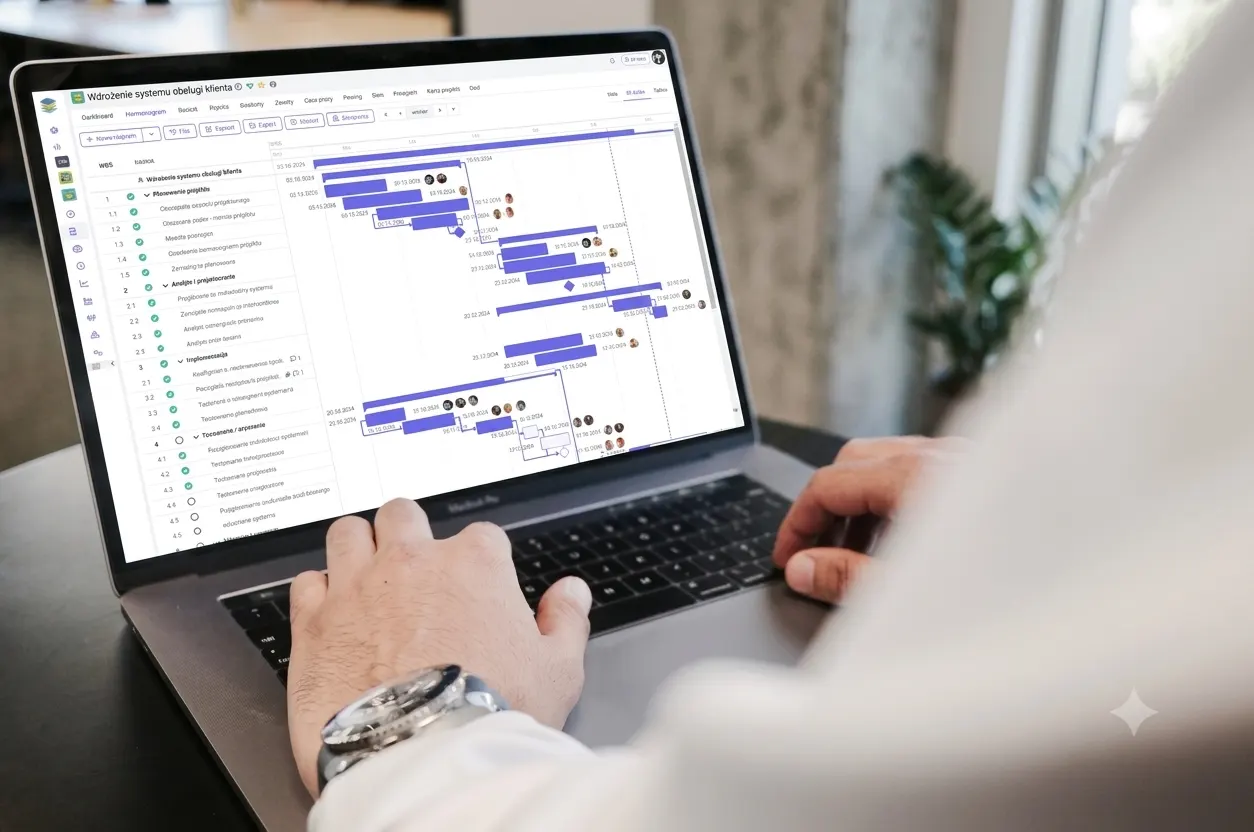
A Gantt chart is a horizontal bar chart that lays your project out along a timeline. Each task gets its own row, and a bar shows when that task starts, how long it runs, and when it finishes. Stack those bars against a calendar and the whole project comes into focus at a glance: what is happening now, what comes next, and how activities overlap.
In construction, that simplicity is the point. A project manager, a site engineer, and a client representative can look at the same chart and immediately understand the sequence of work without wading through pages of tables. Excavation flows into foundations, foundations into structure, structure into MEP first fix, and so on, each bar handing off to the next.
What turns a Gantt chart from a pretty picture into a planning instrument is the relationships between bars. Modern scheduling treats tasks as linked rather than isolated. The most common link is finish-to-start, where one activity cannot begin until another finishes, but you will also use start-to-start, finish-to-finish, and lag time to model the way trades genuinely interact on site. Pour the slab, then wait seven days of curing lag before striking formwork. Those dependencies are what make the chart predictive instead of merely descriptive.
Why Construction Scheduling Is Its Own Discipline
Construction scheduling is harder than scheduling almost any other kind of work, and it helps to be honest about why. A construction programme has hundreds or thousands of interdependent activities, many of them carried out by different companies with their own crews, equipment, and incentives. Weather, permits, material lead times, and inspections sit outside your direct control. Resources are finite, so two activities that could theoretically run in parallel may compete for the same crane or the same skilled crew.
A good schedule absorbs all of this. It sequences the work logically, builds in realistic durations, allocates resources without overloading them, and leaves enough float to survive the inevitable surprises. A weak schedule, by contrast, looks tidy on paper but collapses the moment reality intervenes, because it was never tested against the dependencies that actually govern the site.
This is precisely why a Gantt chart on its own is not enough. You need a method for understanding which delays matter and which do not. That method is the critical path.
The Critical Path Method, Explained Without the Jargon
The critical path method, or CPM, is the analytical engine that sits behind any serious construction schedule. Its core idea is straightforward: among all the chains of dependent activities in your project, one chain is the longest, and the total duration of your project equals the length of that chain. That longest chain is the critical path.
Activities on the critical path have zero float, which means any delay to them delays the entire project, day for day. Activities off the critical path have float, also called slack, which is the amount of time they can slip before they start pushing the finish date. A two-day delay to interior painting that has five days of float costs you nothing. A two-day delay to a critical-path structural pour costs you two days on handover.
This distinction is the single most valuable thing CPM gives a construction manager, because it tells you where to focus. When you are deciding where to add resources, where to compress the programme, or which subcontractor's slippage demands an urgent phone call, the critical path is your answer. You stop firefighting every delay equally and start protecting the activities that genuinely drive the completion date.
On a Gantt chart, the critical path is usually highlighted in a distinct colour, often red, so the chain of make-or-break activities is visible at a glance. The two tools are complementary: CPM calculates the logic and the float, and the Gantt chart presents it in a form everyone on the project can read.
A Worked Example: Where the Critical Path Hides
The theory makes more sense with a concrete case. Imagine a small commercial fit-out. After handover of the shell, you need to run two broadly parallel streams of work. One stream is the ceiling: install ductwork over six days, then fix the suspended ceiling grid over four days, then lay in tiles over two days. The other stream is the flooring: prepare and level the screed over three days, allow it to cure for seven days, then lay tiles over four days. Both streams must be complete before you can do the final clean and snagging, which takes two days.
The ceiling stream takes twelve days in total. The flooring stream takes fourteen. Because the final clean cannot start until both streams finish, the project length is driven by the longer chain. The flooring stream, plus the final clean, is your critical path at sixteen days. The ceiling stream carries two days of float.
That float is not an invitation to relax; it is information. It tells you that if the ceiling tiles are delayed by a day, the project does not move, but if the screed cure runs a day long, handover slips immediately. It also tells you exactly where overtime or an extra crew would and would not buy you time. Throwing labour at the ceiling does nothing for the finish date; protecting the screed and its cure is everything. Without working the critical path, a manager looking at a Gantt chart full of bars would have no reliable way to know that.
Building a Construction Gantt Chart Step by Step
A reliable Gantt chart is built in a deliberate order, and skipping steps is where most schedules go wrong.
Start by breaking the project into a work breakdown structure. Decompose the whole job into phases, then phases into activities small enough to estimate and manage but not so granular that the chart becomes unreadable. A useful rule of thumb is that an activity should be large enough to mean something to a foreman and small enough that you would notice if it slipped.
Next, estimate durations honestly. Pull from productivity rates, historical data from past jobs, and the people who will actually do the work. Optimistic durations entered to please a client are the most common source of schedules that fail in week one.
Then define the dependencies. For each activity, ask what must be finished, started, or in progress before it can begin. This is the most intellectually demanding step and the one that rewards experience, because the logic of how trades hand off to one another is where a programme either reflects reality or departs from it.
With activities, durations, and dependencies in place, let the schedule calculate the critical path and the float for everything else. This is where software earns its keep, running the forward and backward passes that would be tedious and error-prone by hand.
Finally, assign resources and level them. Check that you are not asking the same crew or the same plant to be in two places at once, and adjust the sequence where the chart reveals a conflict. Only now do you have a schedule worth baselining.
Compressing the Programme When Time Runs Short
Sooner or later a client asks the inevitable question: can we finish sooner? There are two legitimate ways to compress a schedule, and both act on the critical path, because shortening anything off the critical path is wasted effort.
The first is fast-tracking, where you take activities that were planned in sequence and run them in parallel, or with greater overlap. You might begin MEP first fix in completed zones while structure continues elsewhere. Fast-tracking usually costs little in direct money, but it raises risk: overlapping work creates more coordination, more potential for rework, and more pressure on the trades sharing a space.
The second is crashing, where you add resources to critical activities to shorten their duration, typically through overtime, extra crews, or additional equipment. Crashing buys time directly but always adds cost, and it suffers from diminishing returns. A second crew rarely doubles output, and a third may barely move the needle while the cost keeps climbing.
The discipline in both cases is the same. Compress only what sits on the critical path, recalculate after every change, and watch for the moment a previously non-critical chain becomes critical. Pour enough resources into the original critical path and a different chain of activities quietly becomes the longest one, at which point your attention has to move with it.
Common Pitfalls That Wreck a Schedule
A few mistakes show up again and again on construction projects. Overly optimistic durations top the list, followed closely by missing or incorrect dependencies that let the chart show work happening in an impossible sequence. Many schedules carry no float at all, so the first minor delay immediately becomes a project delay with no cushion to absorb it.
Just as damaging is treating the schedule as a document rather than a living tool. A Gantt chart created at tender and never updated is worse than useless, because it gives false confidence while the real project drifts away from it. The schedule needs to be updated regularly with actual progress, with the critical path recalculated each time, so that it continues to tell the truth about where the project stands and where the risks now lie.
This is also where good record-keeping pays off. When you baseline the schedule at the start and then track actual progress against it month by month, you build the evidence you need for extension-of-time claims and delay analysis. A well-maintained programme that shows clearly which delays hit the critical path, and why, is far more persuasive than a reconstructed story assembled after a dispute has already begun.
From Spreadsheets to Integrated Systems
Plenty of contractors still build their programmes in spreadsheets, and for a small, simple job that can be enough to get by. The trouble appears as projects grow. A spreadsheet does not understand dependencies, it cannot calculate a critical path, and it has no idea that the crew you have scheduled for two simultaneous tasks physically cannot be in both places. Worse, the schedule sits in isolation from the rest of the business, disconnected from procurement, costs, and the actual progress being reported from site.
This is where construction-aware ERP and project management platforms change the picture. When your Gantt chart lives inside the same system as your purchasing, your subcontractor management, your timesheets, and your project costing, the schedule stops being a standalone diagram and becomes the backbone of how the project is run. A delayed material delivery automatically flags the activities it affects. Progress booked against a task on site updates the programme and recalculates the critical path. Costs track against the schedule so you can see early when a delay is also becoming a budget problem.
For contractors in the UAE managing multiple projects, subcontractors, and tight handover dates, that integration is the real prize. Platforms such as Odoo bundle project scheduling together with procurement, inventory, and accounting, so the people on site and the people in the office are finally working from one version of the truth. Getting there is less about the software itself and more about configuring it around how your firm actually delivers work, which is exactly what a structured ERP implementation is for. The Gantt chart and the critical path method give you the discipline; an integrated platform gives that discipline reach across procurement, finance, and field operations, so the plan you draw and the project you build are finally the same thing.
Bringing It Together
A Gantt chart makes your construction schedule visible, the critical path method tells you which parts of it truly matter, and disciplined updating keeps both honest as the project unfolds. Mastering all three is what separates contractors who manage their programmes from those who are managed by them. And as projects scale, connecting that scheduling discipline to the systems that run procurement, costing, and field reporting is what turns a good plan into a project delivered on time.
QZ Infomatics helps contracting and construction firms across the UAE implement ERP and project management systems that bring scheduling, procurement, and cost control into a single platform. If you are weighing up how to take your project scheduling beyond spreadsheets, our ERP consulting team would be glad to talk through what that could look like for your business.